Make your e-commerce an extension of your business management. PrestaConnect connects PrestaShop to Sage 100 to circulate orders, items, rates and inventory, according to your business rules.
Two tools, a consistent activity.Your sales expertise, extended to your online shop.
Sage 100
⇄
PrestaShop
B2B prices, product variants, warehouses and customer documents: a connection built for B2B and B2C operations.
OrdersCatalogueB2B pricesStock
A Alternetis solutionA direct exchange with your French software publisher.
Your organization in the centerFlows and rules defined with your teams.
France & OverseasFrom defining your project to helping your team get started.
Connect PrestaShop to Sage 100
The right data. In the right place.
Your shop receives orders. Sage 100 centralises sales management. PrestaConnect coordinates data exchanges between them, reducing duplicate entry and keeping operations consistent.
From online sales to management
PrestaShop orders and customer information feed into the processes defined in Sage.
From your management to your store
Products, prices, availability and tracking information are shared according to the configured scope.
Understanding flows at a glance
Sage 100PrestaShop
Products & variants→Online catalogue
Rates & Discounts→Customer prices
Stocks of warehouses→Availability
Commercial management←Orders & quotes
Documents & progress→Customer Tracking & Space
Functional diagram. The data exchanged, the rules and the frequency of synchronization are defined during project planning.
Software, for your exchanges
A business connector, a concrete logic
Behind every order, a business ready to deliver.
Your shop needs to adapt to your way of working: the structure of your catalog, your business conditions and your processing circuits.
PrestaConnect brings your online business closer to Sage 100 operations. A demonstration starts with your real examples: a product variant, a B2B customer, an order and its tracking.
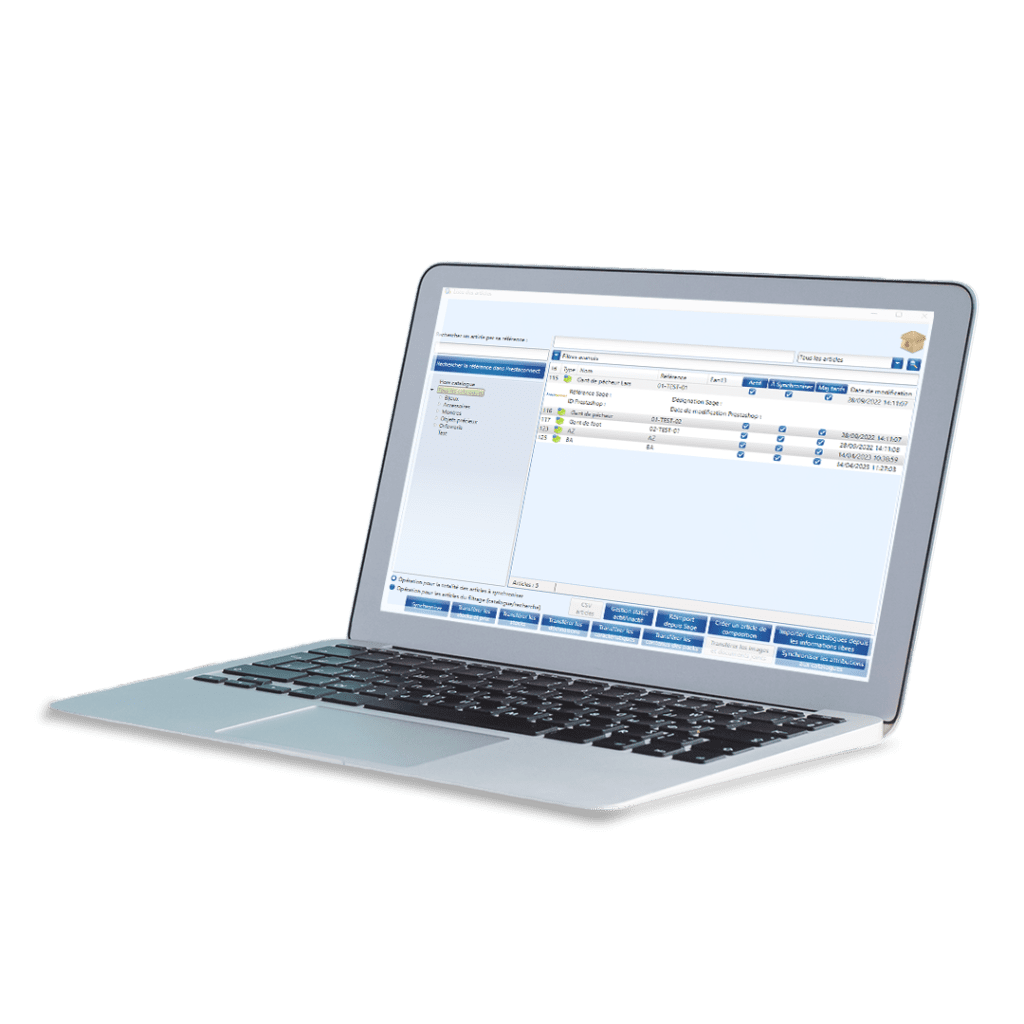
Visual from the PrestaConnect presentation. The interface and the scope deployed may vary according to your environment.
Catalogue · Prices · Availability
E-commerce that fits your business.
An item is not always a simple reference. Your connector must also include your ranges, packaging and stock organization.
01 / CATALOGUE
Your articles take their place online.
Feed your store from the Sage items: designations, descriptions, images and features, according to the data provided in the project.
The ranges and packagings can be translated into attributes or PrestaShop items depending on the structure chosen.
02 / PRICING
Prices reflect your trade agreements.
Match the Sage rate categories to the PrestaShop customer groups and take into account your B2B conditions.
Special rates and discounts for customers, items or families: rules are studied to display the expected price.
03 / STOCK
Your availability follow your management.
Synchronize the stocks from Sage with your store. Your multi-warehouses organization can be taken into account in the distributed stock.
Let's define the selected warehouses, their possible aggregation and the pace of updates adapted to your business.
Sell to professionals with PrestaShop
B2B doesn't stop at a discounted price.
Your professional customers have their habits, rates and conditions. Your shop must recognize them.
To each customer, the right conditions
Link tariff categories and customer groups. Consider the exception rates and discounts that are part of your business relationship.
Trade rules respected
Discounts by item or family, cumulative or cascade discounts: their treatment is defined and tested on your concrete cases.
More independent online ordering
Give your customers an online channel consistent with your management, while keeping your business teams at the heart of the relationship.
wholesale trade · Distribution · E-commerceYour store becomes a real sales channel.
An experience designed for your customers, built around your organization.
The enriched PrestaShop customer space
The relationship continues After the order.
Allow your customers to find information from Sage in their online space. Less scattered research, more autonomy.
Find invoices
Invoices validated in Sage can be made available in the PrestaShop customer space.
View current orders
Open documents and their lines may be presented, including for orders that have not been placed on the store.
Have a view of his account
Depending on the features selected, display customer ledger information: invoices, payments and account matching details.
Your customer · Useful information
My orders in progressSee documents and lines
My billsFind invoices validated in Sage
My customer accountUnderstanding invoices and settlements
Information useful to your professional customers, accessible in their online journey.
Functional illustration, non-contractual. Functions and access rights to be defined for your project.
From order to tracking
A journey that connects Your teams and customers.
Automation makes sense when it comes to your real sales circuits. Here's the journey we're building with you.
01 / LA VENTE
Your client orders.
The order or estimate is entered in PrestaShop, with the information needed to process it.
02 / LA GESTION
Sage takes over.
PrestaConnect retrieves the agreed data for your sales management system, using the mappings defined for your project.
03 / PROCESSING
Your teams are moving forward.
You process documents in Sage according to your business and logistics organization.
04 / LE SUIVI
The customer remains informed.
PrestaShop order statuses can evolve with the advancement of Sage documents, according to the set rules.
What about the warehouse?
Think about the warehouse workflow too.
Connecting your online shop is one step. If order preparation, receiving or stocktaking slows you down, Alternetis can also assess your warehouse needs with EasyLogistic or GestMaker.
How these solutions work with your environment is assessed during project planning. Mentioning them does not imply automatic integration.
Do you already have Sage, already PrestaShop, or a shop to create? We start from your existing one to define a coherent deployment, both in metropolitan France and overseas.
01 / COMPRENDRE
Your environment and your rules.
Sage 100 and PrestaShop versions, installed modules, hosting, catalog, volumes, warehouses and commercial conditions: we identify the elements that determine the scope of the connector.
02 / CONFIGURER
Data mappings, clearly defined.
Which products should be published? Which prices apply? Which warehouses count? Which documents should be created and which statuses returned? Data exchange rules are defined before launch.
03 / VALIDER
Test the scenarios that matter.
A B2B order, a special price, a product variant or an invoice: acceptance testing uses cases representative of your business. Your teams validate the expected results.
04 / SUPPORT
Help users get started and support future changes.
We help your contacts get started and agree support arrangements. Version changes or shop updates are prepared by assessing their impact on data exchanges.
Your questions, before you start
Let’s discuss the details that shape your project.
Does PrestaConnect link PrestaShop to Sage 100 well?
Yes. PrestaConnect is the connector between PrestaShop and Sage 100 presented on this page. The exact scope of the functions and compatibility with your installation are validated from your versions and needs.
Which versions of Sage 100 and PrestaShop are compatible?
Send us the versions of your two software packages, your hosting mode and the important modules of your store. We will check your environment before confirming compatibility and any prerequisites.
Can we keep different rates for B2B customers?
PrestaConnect allows you to work on tariff categories and customer groups, as well as on specific rates and discounts. The rules of priority, cumulation or cascade must be studied and tested on your case.
Does the connector handle the variants and packaging?
Sage ranges and packagings can be translated into PrestaShop as attributes or articles according to the chosen model. We review the structure of your catalog to define the correct match.
How are multi-warehouses stocks taken into account?
The availability of several warehouses can be counted and aggregated for the store. The choice of warehouses, the calculation released and the frequency of updating are defined in the project.
Are the exchanges instant?
The synchronization frequency is a parameter to be defined according to your environment and your streams. We do not promise an instant exchange for all scenarios: the expected deadlines are specified with you.
Can customers find their invoices and Sage orders online?
Features allow validated invoices to be made available and open documents from Sage can be viewed in the PrestaShop client area. The scope, rights and visible data are to be set.
What is the price of PrestaConnect?
Pricing depends on your environment, the features selected and the support required. A demonstration and discussion of your needs help us define a suitable scope and quotation.
Your store, your management, your project.
Let's see what PrestaConnect can change for you.
Exchange directly with Alternetis. We study your Sage 100 and PrestaShop environment, and then we present you the route adapted to your activity.
PrestaConnect is an Alternetis solution. Sage and PrestaShop are trademarks of their respective owners. The features presented are to be confirmed according to your environment and the scope of your project.
French business software publisher since 2009. We develop software that connects your tools, streamlines operations and supports the people who use it.