Skip to content
A team checking goods in the warehouse

Multi-ERP WMS software · Published by AlternetisYour warehouse,
at its highest
level.

Your ERP manages the business. GestMaker supports your warehouse teams. Connect orders, stock and day-to-day operations through an integration tailored to your tools.

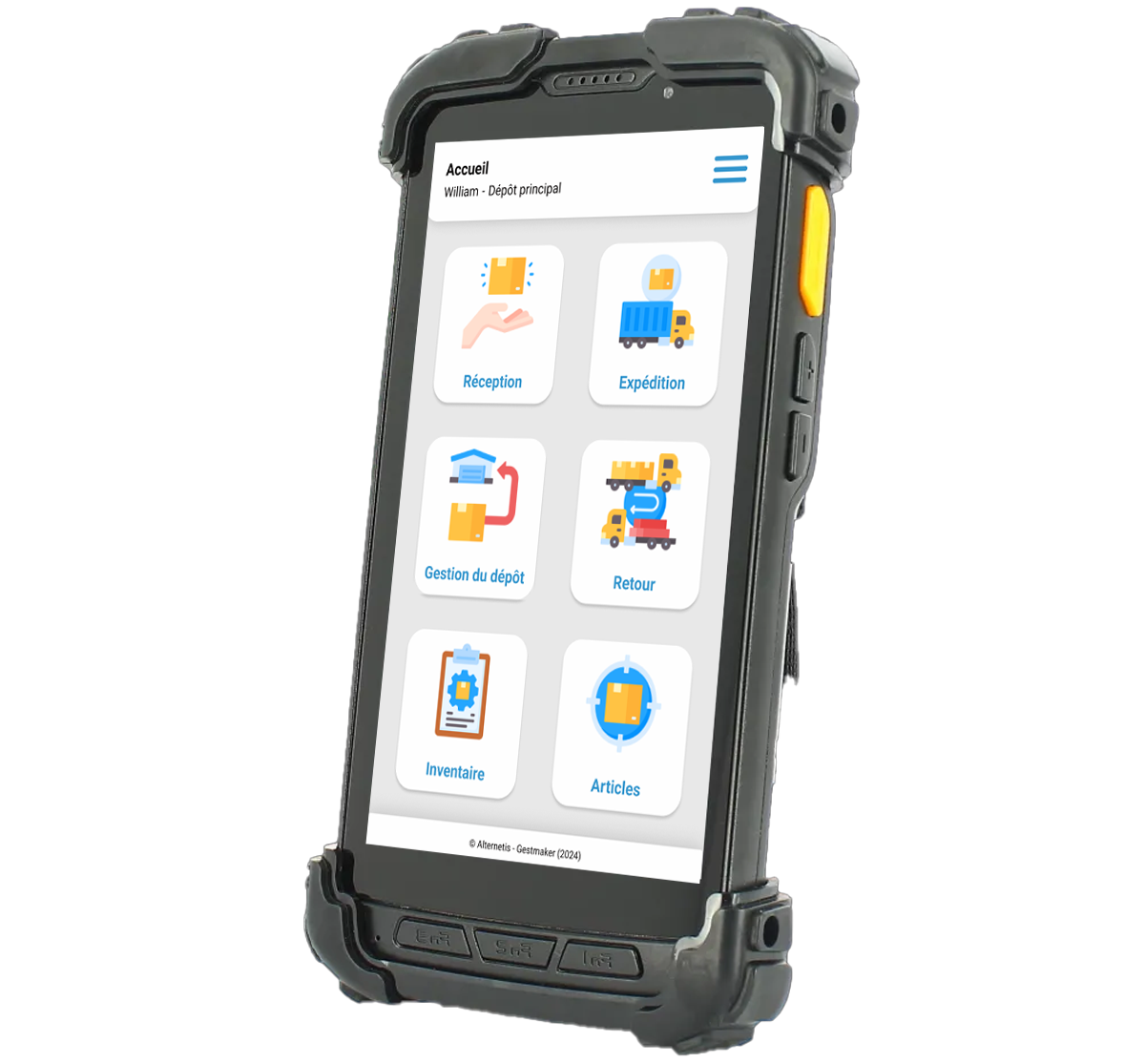
GestMaker complete terminal: receipt, shipping, warehouse management, returns, inventory and items
Your operations, in your hand.GESTMAKER ON TERMINAL ANDROIDAnd for warehouse management? Explore the supervision dashboard ↓
Multi-ERP, by design.Sage 100 · EBP · Microsoft Dynamics · Other ERP
A direct exchange with the software publisher.Audit · Deployment · Training · Support
French expertise since 2009.Mainland France & overseas territories
A multi-ERP WMS, in your information system

Your ERP is the starting point.
Your warehouse is the priority.

Looking for a WMS connected to Sage 100, EBP, Microsoft Dynamics or a business application? Identify the connections your business needs and the operations to coordinate across your tools.

Sage 100

Sage 100

Commercial management, documents and operations of the warehouse.

EBP

EBP

Management Standards and Logistics Movements.

Microsoft Dynamics

Microsoft Dynamics

Navision or Business Central: specify your environment.

Other ERP

Business applications, specific software and interfaces to be studied.

Your ERP is the starting point; its version and your workflows help us confirm compatibility. Multiple ERPs, companies or warehouses: describe your architecture from our first discussion.

Do you also have an e-commerce site or carriers to connect?
We can set up their place in the exchanges: passing through your ERP or dedicated interface, depending on your installation.

Let's talk about my connections →
01 / EXISTING CONNECTOR

Check the scope.

Compare your version and your needs to exchanges already supported by an available connector.

02 / ADAPTATION

Complete useful exchanges.

Identify rules, documents or data specific to your organization that require adaptation.

03 / SPECIFIC INTEGRATION

Build the necessary interface.

Study technical access and development where the need is not covered by the existing one.

The selected integration approach and associated services are specified in your proposal.
In the aisles, at the packing station and on the loading dock.

Performance matters
in every movement.

On Android terminal, teams find useful items and documents. Receive, store, prepare, ship: GestMaker accompanies the scan, control and validation, at the heart of the warehouse.

Explore your warehouse operations
Illustration of receipt operations in a warehouse
01 / ReceiptEvery arrival counts.

Check on arrival.

Receive goods against expected documents. Check products and quantities, identify discrepancies and prepare put-away.

  • Receiving suppliers and quantity control
  • Identification of traceability items and information
  • Treatment of deviations according to your warehouse rules
Illustration of storage operations in a warehouse
02 / StorageEach item has its place.

Give room to each movement.

Organize warehouses, zones and locations to track products and movements. The storage and rotation rules are set with your teams.

  • Stock Management by Location and warehouse
  • Transfers and movement history
  • Rules of rotation studied by articles
Illustration of preparation operations in a warehouse
03 / PreparationEach order is ready.

Guide teams to control.

Guide picking on a mobile terminal and check order lines. The preparation route reflects your organisation, priorities and chosen checks.

  • Picking and checking on the terminal
  • Monitoring of orders and their progress
  • Preparation of packing and pre-departure checks
Illustration of shipment operations in a warehouse
04 / ShippingEvery departure is controlled.

Finish the preparation. Follow the departure.

Chain the packing and shipping operations with the necessary documents. Exchanges with carriers and feedback are defined within the project scope.

  • Parcels, pallets and warehouse documents
  • Transporter labels and interfaces according to integration
  • Operation confirmations and data exchange with the ERP
Control what comes in, circulates and goes out

Stock you can understand.
Movements you can trace.

Beyond the quantity available, your teams need to know where an article is, how it has been moved and what controls are still to be carried out.

From warehouse to the location
A · 01A · 02A · 03Alley A
B · 01B · 02 ✓B · 03Alley B
C · 01C · 02C · 03Alley C
Identify. Locate. Control.Article · Location · Lot · Movement
Illustrative diagram of inventory organization, distinct from the software interface.

Stocks & Locations

Organize your goods by warehouse, area and location. Follow the entries, outputs and transfers to bring the management information closer to the physical reality.

Mobile inventories

Make the terminal counts and analyze the deviations. Rotating or complete inventories: the operating procedure and validations are defined according to your constraints.

Lots, series & history

Find the traceability information associated with the articles and operations. Lots, serial numbers and rotation rules are studied according to your products and your ERP.

Useful data for warehouse operations. The project specifies who validates the transactions, which transactions are exchanged with the ERP and when. This distribution avoids conflicting rules between the office and the warehouse.

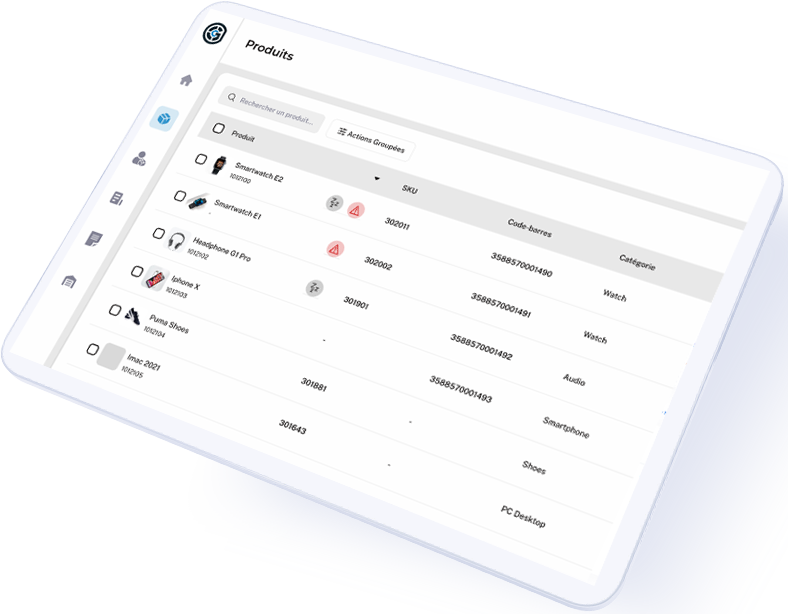
Visual of GestMaker supervision on tablet
Overview of GestMaker supervision: articles are viewed. View according to version.
Web supervision · For the logistics manager

Your teams scan.
You oversee the whole operation.

Web supervision gathers information useful for monitoring your activity: orders, documents, stocks, status and operations. You have a common reading point with field teams.

Monitoring progress and priorities of the activity
back to articles and relevant documents
Adapting access to user roles

The indicators, rights and information to share are defined with you. The objective: to make deviations visible and facilitate decisions on a daily basis.

Understanding what's going on between your tools

An order to pick.
A workflow to connect.

To assess a WMS with multiple connectors, start with a real operation. Which documents reach the warehouse? What does the operator validate? Which information must return to your management system?

01 / YOUR MANAGEMENT

The order exists.

Your ERP carries the document and the information useful for its preparation.

02 / EXCHANGE TO BE DEFINED

The warehouse receives the work.

The connector transmits the necessary data to the chosen logistics route.

03 / LE TERRAIN

The team prepares and controls.

The terminal accompanies the operations and the registration of validations.

04 / DATA RETURN

Management is informed.

The quantities, status and traceability information provided are returned to ERP.

Illustrative integration scenario. Documents, data flow directions and exchange frequency are confirmed for your configuration.

The exchanges to be examined during your demonstration
Data or operationsWhat we're looking at togetherWhy does it matter
Articles & RepositoryReferences, bar codes, units and information useful to operators.Identify the same products in the different tools.
Receipts & OrdersSource documents, lines to be processed and validation rules.Provide warehouse with the information needed for the work to be performed.
Stocks & Movementswarehouses, locations, quantities and responsibility for updates.Avoid two systems applying conflicting rules.
Shipping & TraceabilityQuantities processed, status, lots, series and information of packing useful.Specify what should be available after the field operation.
E-commerce & transportOrigin of the expected orders, labels and returns; tools crossed by each stream.Determine where each interface is in your path.
Reliable exchanges, even when things don’t go as planned

The connection must also be checked.

Integration is not only judged on a successful transfer. The project planning must specify the controls and the treatment of anomalies before the production.

How often are information exchanged?
How is a rejected exchange identified, and who handles it?
How can an operation be restarted without creating duplicates?

A useful demonstration of your documents.
Bring an anonymous example of order or receipt: it will be used to discuss the expected data, controls and returns.

Prepare my demo →
Your job gives the rhythm

Different warehouses.
Practical operational needs.

Wholesale, distribution, manufacturing or e-commerce: we start with the operations you need to perform and the challenges you face to plan your WMS project.
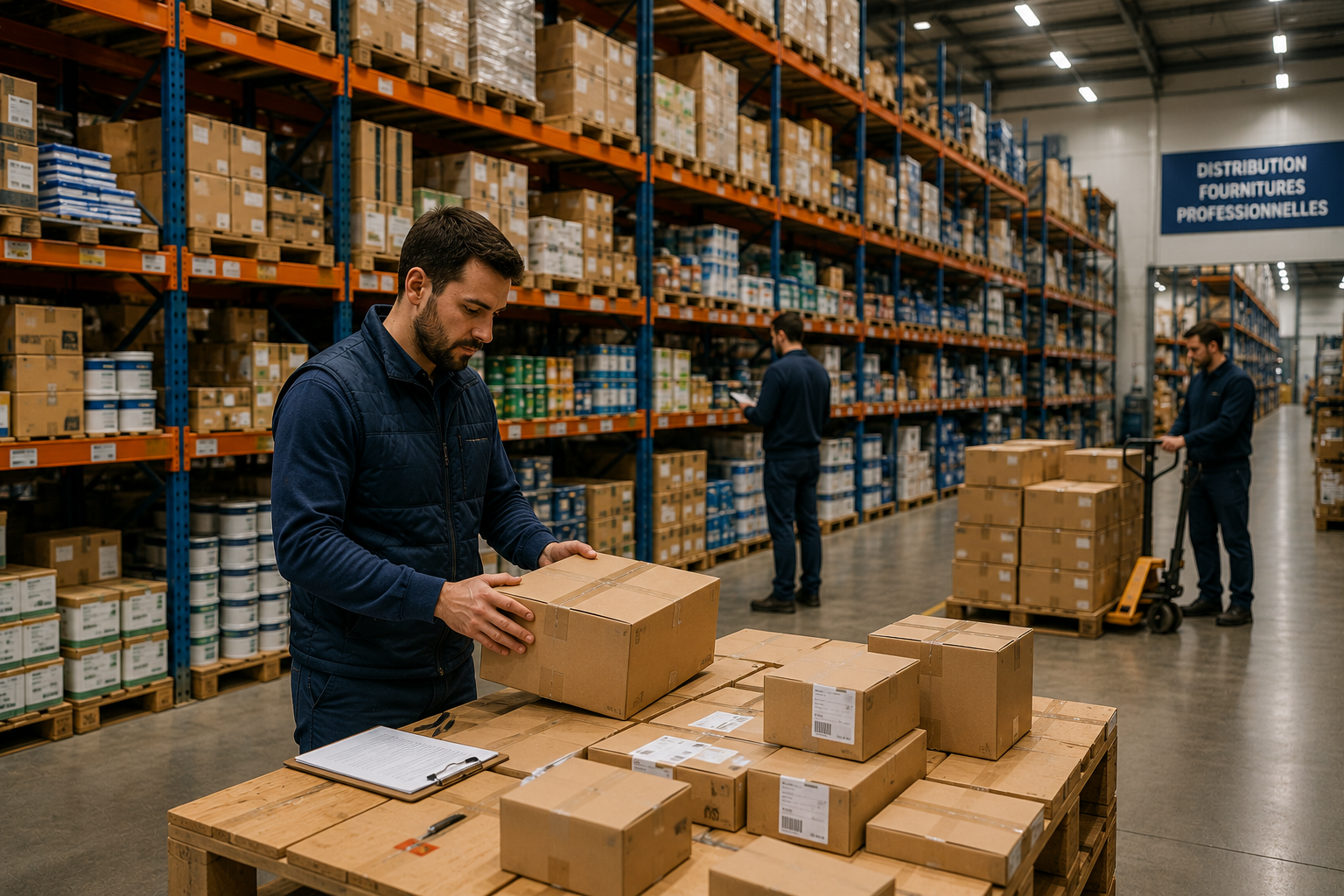
Illustration of logistics operations: wholesale trade and distribution

wholesale trade & distribution

The availability and circulation of products are at the centre of the project.

Locations · Picking · Multi-warehouses

Illustration of logistics operations : Industry

Industry

Follow the receiving, stocks and traceability information of components or products. The constraints of lots, series and control rules are studied upstream.

Receiving · Lots & series · Inventory

Illustration of logistics operations : E-commerce

E-commerce

Organize the preparation, packing and departure of orders. Exchanges with your sales tools and carriers are defined according to the chosen architecture.

Orders · packing · Shipments

A direct exchange with the software publisher

A warehouse project.
Not just an installation.

Alternetis develops GestMaker and supports the teams who use it. We bring business requirements, software and integrations together to prepare a deployment that fits your organisation.

Since 2009, we have developed business solutions for Sage and other ERPs. Our understanding of management systems and warehouse operations informs the assessment, configuration and support of your WMS project.

Illustration of an exchange between two professionals in the warehouse
01

Review your workflows

We study your operations, inventory, ERP, equipment and points that slow down the teams.

02

Defining exchanges

We set the documents, data, controls and responsibilities between GestMaker and your management system.

03

Configure and validate

We prepare the setting, connections and validation of selected work scenarios.

04

Train and support

We support users in their operations and prepare for the monitoring of the production.

Metropolitan France and overseas. The installation, training and support scope is specified in your proposal. To prepare our exchange: indicate your ERP, its version, your warehouses, your users and your main streams.

Your questions before choosing

GestMaker, your ERP
and your warehouse.

Does Multi-ERP mean that many ERP can be connected at the same time?

Multi-ERP refers here to the positioning of GestMaker for different management environments. A project involving several ERP or companies requires clarification of architecture, data separation and flows. Describe this need from the first exchange for us to study this configuration.

My ERP is listed: is a connector already available?

Compatibility depends on the software version and the necessary exchanges. We check what can be covered by an existing connector, which requires adaptation and what is a development. The proposal specifies the scope of the application.

Can e-commerce and carriers be integrated into the project?

Yes, these requirements can be included in the project assessment. Tell us which platforms and carriers you use: we will examine the relevant interfaces and how they connect to your ERP. Including a tool in the project does not mean a standard direct connector is available for it.

Are exchanges in real time and what happens if they are rejected?

Exchange frequency and checks depend on the integration chosen. Error handling, responsibilities and recovery procedures must be defined before going live.

What is GestMaker?

GestMaker is the multi-ERP WMS software published by Alternetis. It supports warehouse management operations: reception, storage, preparation, inventory, shipping and supervision. Field teams work on Android terminals and managers have web supervision.

Does GestMaker only work with Sage 100?

No. GestMaker is designed using a multi-ERP approach. Sage 100, EBP and Microsoft Dynamics are part of the environments studied. The choice of an existing connector, its adaptation or development depends on your version and the expected exchanges.

Can we manage multiple warehouses and locations?

Multi-warehouses and multi-location management are part of the uses presented for GestMaker. We define with you the zones, movements, rights and rules to be implemented in your organization.

What equipment should be provided for operators?

GestMaker is used on professional Android devices with barcode reading. The choice of equipment, network coverage and operating conditions are studied to match the constraints of your warehouse.

How are inventories and traceability organised?

Operators perform field counts, then deviations are processed according to the process chosen. Lots, serial numbers and movement history are framed according to your articles, your ERP and tracking needs.

Are all ERP and transporter connections included?

The scope of the connections and services is defined in the proposal. The study specifies the available interfaces, the covered flows and the necessary adaptations or developments.

What difference between GestMaker and EasyLogistic100?

GestMaker is a multi-ERP WMS with Android terminals and web supervision. EasyLogistic100 is dedicated to Sage 100. We compare your workflows, installation and objectives before recommending the right solution.

How to get a GestMaker demo or quote?

Contact Alternetis with the name and version of your ERP, your main streams, your warehouses and any difficulties encountered. We prepare a demonstration that will focus on your operations and set the steps necessary to prepare a proposal.

Also find business software Alternetis and our support in custom applications.

Illustration: Professionals exchange in the warehouse
Moving from your research to your project

Your ERP.
Your connections.
Let's discuss the details.

Present us your environment to prepare an exchange on compatibility, streams to cover and the GestMaker demonstration adapted to your operations.

Include this information in your message on the contact page.
A direct exchange with Alternetis · Metropolitan France & Overseas