Skip to content
Alternetis applications

Business software to simplify your working day.

In the warehouse, office or online shop, your teams need tools that work together. Make data flows more reliable, reduce duplicate entry and simplify management with Alternetis applications.

Since 2009Business software publisherSage 100 expertiseManagement, logistics, e-commerceBy your sideFrom scoping to deployment
Illustration of work teams in a warehouse

From day-to-day operations to management: tools built around your workflows.

01 · GestMaker — multi-ERP WMS

Your warehouse.
Your ERP. Your organisation.

GestMaker organises your warehouse operations in a multi-ERP WMS. Your business management software and working practices are the starting point for the project.

multi-ERP WMSMulti-warehousesAndroid Terminals

Receiving & Locations

Check the entrances and arrange the storage of the goods.

Preparation & Shipping

Support your teams from picking through to dispatch.

Stocks & inventories

Follow the movements and quantities in your warehouses.

Traceability

Find the information that is useful for operations and flow monitoring.

A connection adapted to your environmentSage, EBP, Microsoft Dynamics or SAP: we assess your environment and versions, then identify whether an existing connector can be used, adapted or developed.
Teams and flows of goods in an industrial environment
GestMaker multi-ERP WMS
A multi-ERP WMS, built around your streams.
Preparation and dispatch of orders in warehouse
EasyLogistic100 WMS Sage 100
Sage 100, connected to your warehouse teams.
02 · EasyLogistic100 — WMS Sage 100

Your Sage 100 management.
Accuracy on the warehouse floor.

Connect your warehouse to Sage 100. On terminal, tablet or PC, your teams have the tools to control the goods and prepare the orders.

Sage 100Bar codesLots & series

Receive goods with a terminal

Identify items and control the quantities received.

Guide preparation

Organise picking, checks and packing.

Manage locations

Follow storage, transfers and inventories.

Delivering the goods

Manage lots, serial numbers and expiry dates.

From office to warehouseThe order is managed in Sage 100 and prepared by warehouse teams using EasyLogistic. Versions, modules and business rules are checked during project planning.
03 · Connected e-commerce

PrestaShop and Sage 100.
Your store, connected to your ERP.

Your online shop receives orders while your teams work in Sage 100. PrestaConnect connects PrestaShop to Sage 100, helping you synchronise data and reduce duplicate entry. A separate Shopify connector is in development; contact us to discuss your future requirements.

Sage 100 connectorPrestaShopShopify: in developmentData synchronization

Orders & customers

Import web orders and customer information into your management.

Catalogue & stocks

Make available the references, availability and product information.

Prices & rates

Configure data exchanges around your business processes and rules.

Data exchange monitoring

Follow the synchronizations and processing status.

Example of useAn order is placed on PrestaShop: it is imported into Sage 100, where your team continues processing. The exchanges are set to your organization.
Preparing orders for an online shop
Sage 100 ↔ PrestaShop

The exchanges are defined according to your platform and your project.

04 · Daily management

Three ways to simplify
your teams' work.

Purchases, customer documents, data quality: complete Sage 100 where your teams are losing time.

A purchasing manager and a warehouse manager are jointly analyzing the needs of replenishment
EasyReappro100 · Purchases prepared with a shared view of stocks and needs.
For buyers and stock managers

EasyReappro 100
Decide what to buy, and when.

Collect useful data before placing an order: stock available, sales, suppliers and warehouses.
  • Filters by articles, families, suppliers and warehouses.
  • Customizable purchase table and recommended quantities.
  • Supplier thresholds and carriage-paid order values.
  • Create purchase requests or purchase orders in Sage.
In your daily lifePrepare a supplier order from the needs of several warehouses, adjust the quantities and then generate the Sage document.
Explore EasyReappro 100 →
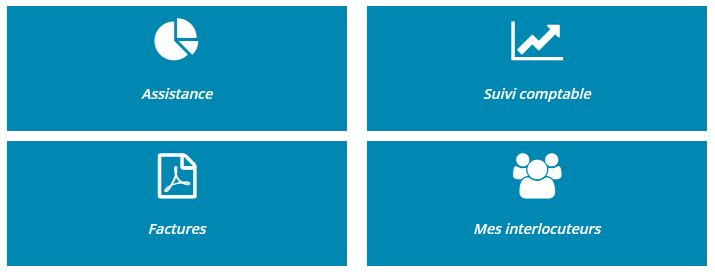
Screenshot: EasyDemat · Documents and contacts.
For sales order administration, accounting and your customers

EasyDemat 100
Documents within reach.

Provide a secure space where customers can find invoices, PDF documents and useful account information.

  • Checking invoices and account statements.
  • Access to the various parts of the company and to the company contacts.
  • Customizable presentation to your image.
  • A channel complementary to the exchanges with your teams.
In your daily lifeA customer is looking for a copy of the invoice: he finds it in his space, without multiplying the requests with your administrative department.
Explore EasyDemat 100 →
From control to action

Reliable records.
Informed teams.

01 · Update

customer and supplier records and bulk items.

02 · Enrich

Information INSEE / Sirene.

03 · Control

BODACC surveillance.

04 · Alert

Notifications to teams.

For sales administration, sales teams and Sage administrators

EasyUpdate 100
Keep your data usable.

Avoid correcting records one by one. Centralise data-quality operations for your Sage 100 database.

  • Mass update of customers, suppliers and items.
  • Enrichment via INSEE / Sirene.
  • BODACC controls and customer risk alerts.
  • Planned actions and user rights.
In your daily lifeKeep customer records reliable and notify the account manager when a check identifies a risk.
Explore EasyUpdate 100 →

A one-time need in Sage 100?
Our utilities complete the range for targeted operations.

See utilities →
Other applications in your daily life

Every need deserves its tool.

Order preparation, field sales or a one-off operation in Sage 100: our range also addresses specific needs.

EasyPrepa100

EasyPrepa100

Select and prioritise the orders, then transform them into delivery preparations in Sage 100. EasyPrepa is used upstream of the work done in WMS.

Discover EasyPrepa →

EasyNomade100

EasyNomade100

Give your salespeople the tools to take orders in the field. During customer visits and sales rounds, EasyNomade100 lets them enter orders as they discuss requirements with customers, within your Sage 100 workflow.

Discover EasyNomade →

EasyADVFast data capture · Sage 100

EasyADV

A quick entry screen for sales administration teams. EasyADV accompanies the sales order entry in Sage to facilitate the daily work of the sales order administration service.

Who is it for? For teams entering orders in the office, alongside field order-taking with EasyNomade.

Discover EasyADV →
Additional tools

Sage 100 utilities

A repetitive operation, data-processing task or one-off need? We’ll help you identify an existing utility or assess an adaptation.

Discover utilities →
05 · Custom & artificial intelligence

Your business does not always fit a standard solution.

A specific process, tools to connect or a task to automate? We design an application with you that fits your workflows and information system.

The AI can be part of the answer when it provides practical help to your teams.

Business applicationsSoftware connectionsAutomation & AI
Examples of projects to be studiedA client portal, a field tracking application, a connection between two software programs or an AI assistant to search for and exploit your information.
Explore Custom & AI
Illustration of a business application scoping workshop
Complementary software

Your tools work better
when your workflows connect.

Start with a specific need, then expand your tools. Here are three example workflows to explore with our team:

Prepare orders

From sales administration to the order picker

EasyPrepa selects and transforms the orders in Sage. EasyLogistic takes over for processing in the warehouse.

For: coordinate priorities between the office and the field.

EasyPrepa + EasyLogistic
Sell and ship

From web basket to departure of the package

PrestaConnect imports PrestaShop orders in Sage. Logistics processing can then be organized in WMS.

For: link online sales to your preparation.

PrestaConnect + WMS to be defined
Buy and receive

From the need for purchase to the stocking

EasyReappro prepares supplier orders in Sage. EasyLogistic accompanies the control and receipt of goods.

For: maintain continuity between purchases and the warehouse.

EasyReappro + EasyLogistic

These are examples of projects. The necessary versions, modules and exchanges are checked when studying your environment.

Your need in the field

We start by listening.

The right software fits your organisation. We work with you to define a practical path for your project.

01 · UNDERSTAND

Your needs and flows

We discuss your activity, current tools and the difficulties your teams face.

02 · CHOICE

A relevant solution

Demonstration, compatibility assessment and scope definition: move forward with a clear view of the project.

03 · DEPLOY

Preparing for commissioning

Installation, setting and checking of flows are organized according to the scope chosen.

04 · SUPPORT

Switch to daily use

Training and support are tailored to the teams who will use the solution.

Your questions

Before you choose
Your software.

A particular constraint or a project to evolve? Let's talk about your situation.

Ask a question
Should we replace our management software?

The tools in the Sage range complement your existing environment. For GestMaker or custom development, we explore the possibilities of connecting to your system before setting the scope.

What difference between GestMaker, EasyLogistic and EasyPrepa?

GestMaker is a multi-ERP WMS approach. EasyLogistic is a WMS connected to Sage 100 for warehouse operations. EasyPrepa selects and transforms orders in Sage, as a complement to field processing.

Does PrestaConnect work with my store?

The route presented here concerns PrestaShop and Sage 100. We check your versions, modules and business rules before confirming the configuration. For another platform, contact us to study your need.

Can we start with one solution?

Yes, the project can focus on a specific need: order preparation, replenishment or data reliability. Prerequisites and possible additions are defined during project planning.

When to consider a custom development?

We first analyse your uses and the possibilities of existing tools. An adaptation, a connection between software or a dedicated application can then be considered according to the deviations identified.

How to get a demonstration and a quote?

Indicate your ERP and its version, the teams involved, your warehouses and the main problems to be solved. These elements allow you to prepare a relevant exchange, then a demonstration and a suitable proposal.

What solution for your business?

Describe your need. We help you make the right choice.